Reset Canvas Password with your personal email
This guide explains how to set or recover the Canvas password using your personal email.
Click on Personal Credentials
Access the Canvas portal at apra.instructure.com and select "Personal Credentials" to start the recovery process.

Click on Forgot Password?
On the Canvas login page, click the "Forgot Password?" link to start the recovery procedure.

Enter your personal email (@gmail.com, @hotmail.com, @legionaries.org, etc.)
Fill in the field with the personal email address associated with your Canvas account.

Click on Request Password
Confirm the request to receive instructions via email.

Wait for the recovery email
Password reset instructions will be sent to your personal email. The process may take up to 30 minutes.
 Tip: If you do not receive the email within 30 minutes, check the spam folder.
Check your email inbox
Log in to Outlook and check for the Canvas reset instructions message.

Click on Click here to set a new password
In the received email, click the link to proceed with password reset.

Enter the new password
Type the new password in the provided fields.
 Tip: It is recommended to set the same password used on my.upra.org.
Click on Update Password
Confirm the new password to complete the reset.

Enter your personal email and the new password
Return to the Canvas login page and enter the updated credentials.
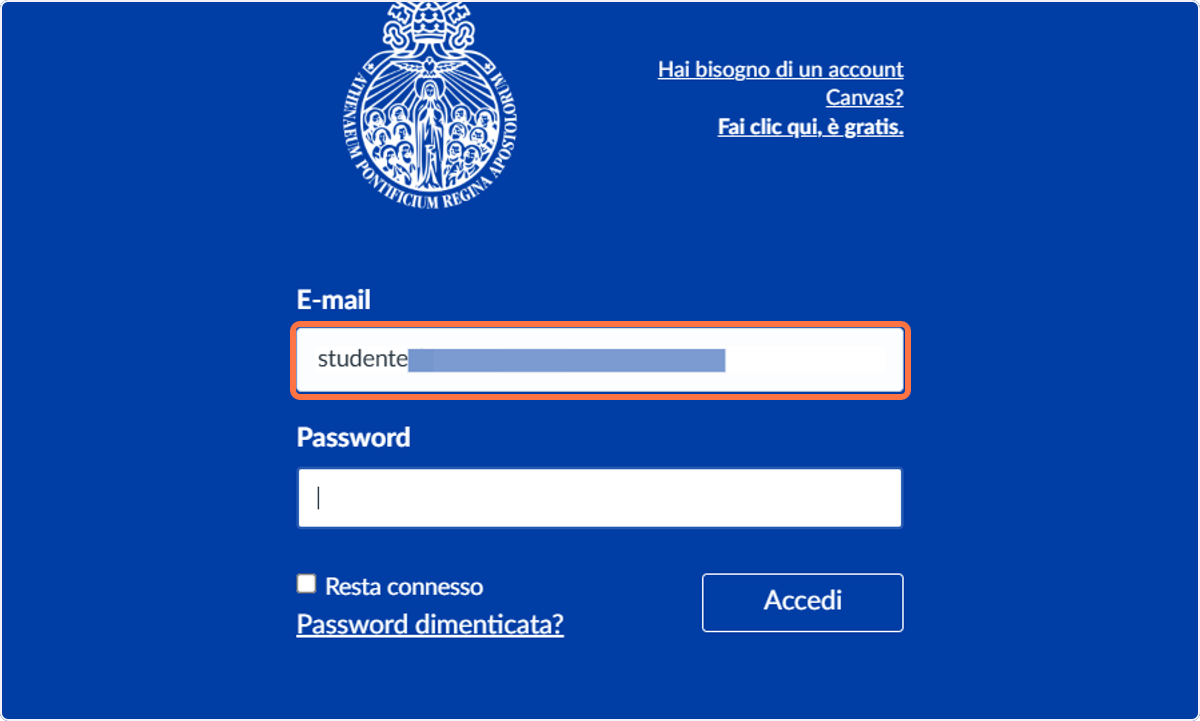
Click on Log In
Log in to the Canvas portal with the new credentials.

Access completed
You are now logged into Canvas (apra.instructure.com).

Related Articles
How to Access my.upra.org and Canvas Using Your Personal Email Instead of the Microsoft Office Account
This guide is intended for users who normally log in to the UPRA portal and Canvas using their Microsoft Office account (@upra.org) but wish to switch to their personal email (Gmail, Hotmail, Legionaries, etc.) without depending on the university ...Activate your Microsoft 365 account in the new APRA tenant
This guide explains how to activate your Microsoft 365 account in the new APRA tenant using the temporary credentials provided. On first login, you will be required to change the password and set up a two-factor authentication method (MFA). Below is ...Configure two factors authentication for your Microsoft 365 account (first time)
This guide describes how to configure two-factor authentication (2FA) the first time you sign in to your Microsoft 365 account. Microsoft will ask you to use the Microsoft Authenticator app, but you can choose to receive an SMS code or telephone call ...